
From Pings to Peace: Automating What Matters

This page dives into Email, Calendar, and Notifications: Taming Digital Overload with Automation, translating everyday chaos into calm momentum. We’ll combine humane habits, practical tools, and tested workflows so you can respond faster, protect focus, and reclaim creative energy. Real stories, precise steps, and gentle guardrails will guide you toward fewer interruptions, clearer priorities, and more meaningful work, without sacrificing empathy or reliability for teammates, clients, or family.

Inbox Clarity, Every Morning

A calm inbox begins before sunrise, when automation quietly sorts what matters and tucks the rest away. Filters, labels, categories, and VIP routing create a second brain that triages without emotion. You open your email to decisions, not dilemmas, meeting messages ready to skim and priority threads surfaced thoughtfully. The goal is fewer manual clicks, less scrolling, and more time for meaningful replies and deep, uninterrupted problem‑solving.

Rules That Sort Before You Read

Build server‑side rules that label by sender, keyword, and List‑ID, then archive low‑stakes newsletters to a review folder. Route receipts, alerts, and account notices into tidy stacks. Use plus‑addressing to separate sign‑ups from people. With consistent patterns, your inbox becomes an organized lobby, where only invited guests ring the bell while everyone else waits politely down the hall.

Batching, Snoozing, and Thoughtful Send Times

Schedule sends to align with recipients’ time zones and your availability, avoiding needless after‑hours churn. Snooze non‑urgent threads to resurface during planned review windows. Batch processing twice daily reduces context switching, while reminders on unreplied messages prevent silent drops. Together, these cues transform reactive checking into intentional sessions, where you write better responses and close loops with far less stress.
Your Calendar, Your Bodyguard
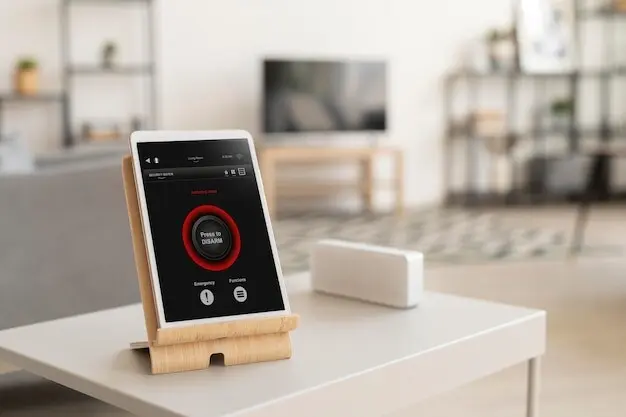
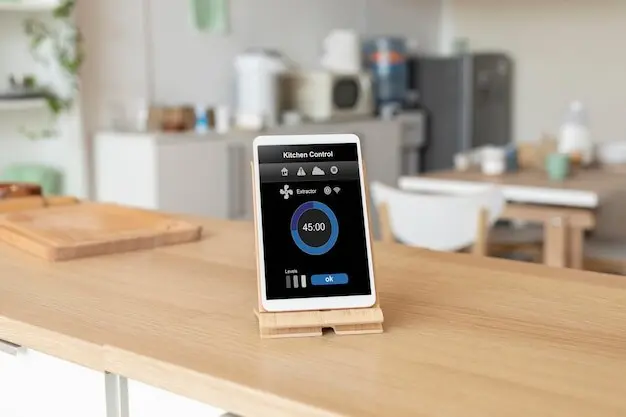
A protective calendar shields deep work and energy, not just empty hours. Automation can color‑code by category, add buffers automatically, and decline conflicts before they reach your eyes. Reusable templates reduce scheduling friction for recurring collaborations, while shared availability links prevent endless back‑and‑forth. With thoughtful defaults and humane boundaries, you stop negotiating every minute and start honoring commitments with confidence, clarity, and room for the unexpected.

Design a Notification Hierarchy You Can Trust

Identify who and what can interrupt: family emergencies, incident pages, production outages. Give these audible, persistent alerts with escalation. Next, mark important senders for silent banners and badges. Everything else rolls into summaries. Align Slack or Teams channels with this model, separating urgent rooms from ambient chatter. Clarity reduces guilt, because your system decides consistently while you focus fully on the task at hand.

Focus Modes That Mirror Real Life

Tie focus modes to time, location, and calendar signals. At home, permit family and caretaking. During deep work blocks, allow only VIPs and critical apps. Enable emergency bypass for essential contacts. On weekends, mute work apps entirely, sending respectful autoresponses. When your devices reflect your actual priorities, you experience fewer jolts and more presence, transforming availability from default noise into intentional service.

Digests and Rollups Instead of Constant Pings

Schedule summaries for social updates, marketing emails, and low‑stake system alerts. Roll daily highlights into a single lunchtime digest, then a Friday recap for longer reading. In Slack, bundle threads into periodic reminders. In email, use smart labels and weekly reports. This consolidation turns dozens of interruptions into a handful of calm checkpoints, where you absorb information thoughtfully and act decisively.

From Message to Task With Context Intact

Trigger on labels like “Action” or star markers, extract project names from subjects, and set deadlines from date phrases. Post tasks to your manager, CRM, or issue tracker with canonical links back to the email. Add checklists, owners, and tags automatically. This preserves context, speeds prioritization, prevents duplicate work, and makes handoffs crisp—even when threads get noisy or timelines shift unexpectedly.

Calendars That Build Themselves

Auto‑create events from booking confirmations, travel itineraries, and webinar registrations by parsing structured fields or ICS attachments. Populate notes with agendas and links to documents. Invite collaborators based on keywords or lists, then color‑code by stream. If a conflict appears, propose alternative slots automatically. Your calendar becomes a living artifact that reflects real commitments without constant, fragile manual edits.

Safeguards, Privacy, and Fallbacks

Grant only the permissions a workflow needs, and store tokens securely. Keep audit logs for triggers and actions, with alerts on unusual spikes. Test against a sandbox label or calendar first, and route uncertain items into a review queue. When automations fail gracefully and document their decisions, trust grows, maintenance shrinks, and your time savings compound without compromising confidentiality or control.

Mindset and Etiquette for Sustainable Calm

Automation thrives alongside humane expectations. Clarify response windows, publish your working hours, and use statuses that explain availability kindly. Decline meetings with alternatives and context. Replace urgency theater with explicit escalation paths. One leader shared saving six hours weekly after announcing new norms; even skeptics appreciated better predictability. Treat people with patience, and let your tools support that respect every day.

Metrics, Experiments, and Continuous Improvement

Track fewer numbers, but track them well: interruptions per day, deep work hours protected, average response time for true priorities, and perceived calm. Run short trials, compare before and after, then lock in wins. Share templates, celebrate reclaimed hours, and invite colleagues to iterate with you. Progress compounds when the system learns continuously, not when rules ossify and drift from real work.

Measure What Matters, Not Everything

Choose metrics that reflect outcomes, like finished projects or fewer after‑hours messages, rather than raw email counts. Pair quantitative data with a brief weekly reflection on stress and focus. If a metric invites perverse incentives, drop it. Let measurement illuminate choices, not micromanage them, so improvements feel empowering, not punitive or performative.

Run Short Experiments With Clear Resets
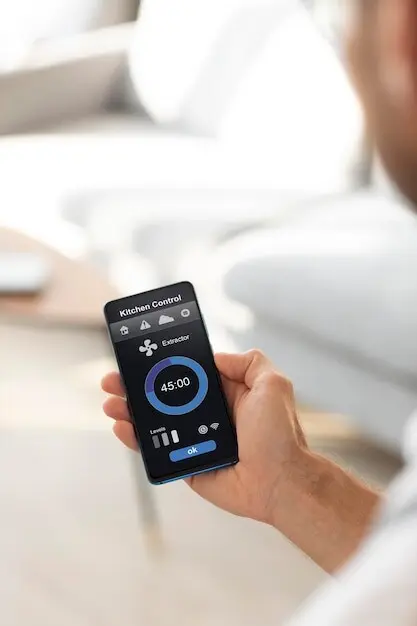
Adopt a two‑week cadence: introduce one change, log friction, and revert quickly if quality drops. Capture a lightweight checklist of observations, then adjust rules, buffers, or filters. Keep experiments small and honest. When resets are easy and learning is intentional, you build confidence, avoid brittle complexity, and keep momentum without burning goodwill or context.

Share, Learn, and Refine Together

Publish your favorite filters, calendar templates, and focus modes so teammates can adapt them. Invite feedback on what felt kind, confusing, or brilliant. Ask readers to comment with their best automations, then subscribe for monthly playbooks. Collective wisdom accelerates clarity, turning scattered hacks into durable, shared systems that respect time, attention, and human connection.
Pexiveltosirarinonari
Privacy Overview

This website uses cookies so that we can provide you with the best user experience possible. Cookie information is stored in your browser and performs functions such as recognising you when you return to our website and helping our team to understand which sections of the website you find most interesting and useful.